sync, async, setTimeoutZero in Node.js
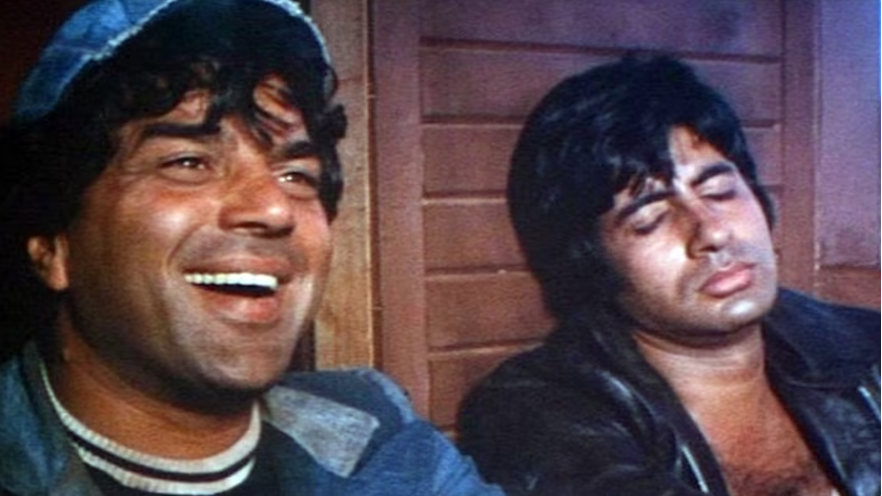
In the last few sessions, we have seen how Node.js code runs. If something is synchronous, the V8 engine handles it, or in case of asynchronous tasks, libUV steps in. You can think of Node.js having two best friends, like Jai and Veeru. Whenever a problem (or code) comes in, they handle it accordingly.
Now, it’s time to look at a small example to see how these two friends—V8 engine (Jai) and libUV (Veeru)—manage the code.
Create file.txt and write something in it, and then in any JS file for example app.js right whatever I have written below in code block
const fs = require("fs");
const https = require("https");

console.log("Kitne aadmi the ??");

const num1 = 2;
const num2 = 3;

https.get("https://dummyjson.com/todos/1", function callback(response) {
  // I am callback function which will run after the dummyJSON has been read from API server
  console.log("hey I am here");
});

setTimeout(function callback(){

  console.log("I will after 5 seconds Sarkaar!");
}, 5000);

fs.readFile('./file.txt', 'utf-8', function callback(err,response){
  console.log("This will get printed after file read ",response);
})

function kitneAadmiThe(a, b) {
  return a * b;
}

console.log('Sarkar kul aadmi the ...?', kitneAadmiThe(num1, num2));
Let's understand what's happening here. In this code, both asynchronous and synchronous operations are present, which means both "Jai" (the V8 engine) and "Veeru" (libUV) will come into play. Here's how:
- The first two lines import the
httpsandfsmodules of Node.js. Got it? - Then, there's a console log: "Kitne aadmi the?". This is a synchronous operation, so Jai (the V8 engine) will handle it. It will print immediately.
- Next, we have
https.get(). Remember, this is asynchronous code, so Jai can't handle it. Veeru (libUV) steps in, and Node.js will ask libUV to fetch data from the API (/todos/1) without blocking the main thread. Once the data is ready, the callback function runs. - After that, there's
setTimeout(). Again, this is asynchronous code, so Veeru (libUV) takes over. It waits for 5 seconds and runs the callback once the time is up, without blocking the main thread. - Now, we have
fs.readFile(). Since reading files is also asynchronous, Veeru (libUV) handles it. The file is read, and once done, the callback runs, printing the file contents. - Finally, there's the
kitneAadmiThe()function, which is synchronous. This is handled by the V8 engine (Jai) and runs immediately when called. The result is printed as "Sarkar kul aadmi the ...? 6".
To sum it up, the main thread runs all synchronous code, like console.log and kitneAadmiThe(), first. Then, Veeru (libUV) handles the asynchronous tasks like https.get(), setTimeout(), and fs.readFile() without blocking the execution. The callbacks of these async tasks will be processed once the main thread is clear.
Outout of above code
// Kitne aadmi the ??
// Sarkar kul aadmi the ...? 6
// This will get printed after file read  Production code, in clients ke saamne mat fatna
// hey I am here
// I will after 5 seconds Sarkaar
readFileSync
We saw that readFile is asynchronous, meaning it doesn't block the main thread. But what if you want the next line of code to run only after the file is read? In that case, you'll need to wait for the file to be read. To do this, instead of using readFile (which doesn't wait), you can use readFileSync, which is synchronous and blocks the main thread. It will pause and wait until the file is read before moving to the next line of code.
This way, the output will change, and you’ll notice the file is read first before the code continues. The order of execution will be different.
// change above code by these lines
fs.readFileSync('./file.txt', 'utf-8')
console.log("This will get printed after file read");

// output

//Kitne aadmi the ??
//This will get printed after file read
//Sarkar kul aadmi the ...? 6
//hey I am here
//I will after 5 seconds Sarkaar!
Note: Whenever you see "sync," it means the code will block and wait until the task is finished before moving on to the next line. and its not recommended to use
Now I hope you have understood how sync and async works in NodeJs

setTimeout in Node.js
Remember this: I often ask this question in interviews about the order of setTimeout, even if it has 0 milliseconds. Just keep in mind, no matter if it's set to 0 milliseconds or 10 seconds, it won’t run immediately. setTimeout will be handled by libUV and will only execute after the main thread has finished everything. It doesn’t block the main thread. I am putting one JS question here, because I think you know JS which runs on web thats why you are here, read below snippets and guess the output send me Yes here if you have guessed it correct .

And thats all for this session, I'm Ashutosh Anand Tiwari, and I'm writing digital notes on Node.js. If you enjoy these notes, please share them with your friends. If you find any errors or have improvements, feel free to contribute by clicking edit icon on top bar of this page. If you're interested in writing the next episode's notes, visit this link. Let's learn together! Also, please consider giving a star to this repo. For any queries, let's connect here. Thank you…
New words to search
- utf-8
- node: crypto
UseFull Tips
- Go to node js website check list of node js modules
Continue Exploring
Want me to write notes on a course?
Tell me the course, book, or research topic you want covered. If it helps learners, I'll consider adding structured digital notes for it in the garden.
Have a notes collection to feature here?
Do you have open notes you want featured in this digital garden? Let me know — we can collaborate and publish them for learners worldwide.
Having a doubt? Ask a query?