OPENSOURCED
How to add new / edit blog, notes
Your single contribution or addition to this platform makes you an open source contributor
Go live in about 2 minutes
Add
Click + Blog or + chapter to open the editor.
Write
Add slug, title, thumbnail, and your content.
Save
Green toast means a pull request is ready. After merge, it is live.
Thank you for wanting to write here. This garden is open source — adding a blog or a notes chapter is a short, guided flow.
- 1
Go to heyashu.in/admin.
- 2
Log in with GitHub (recommended) or Google.
- 3
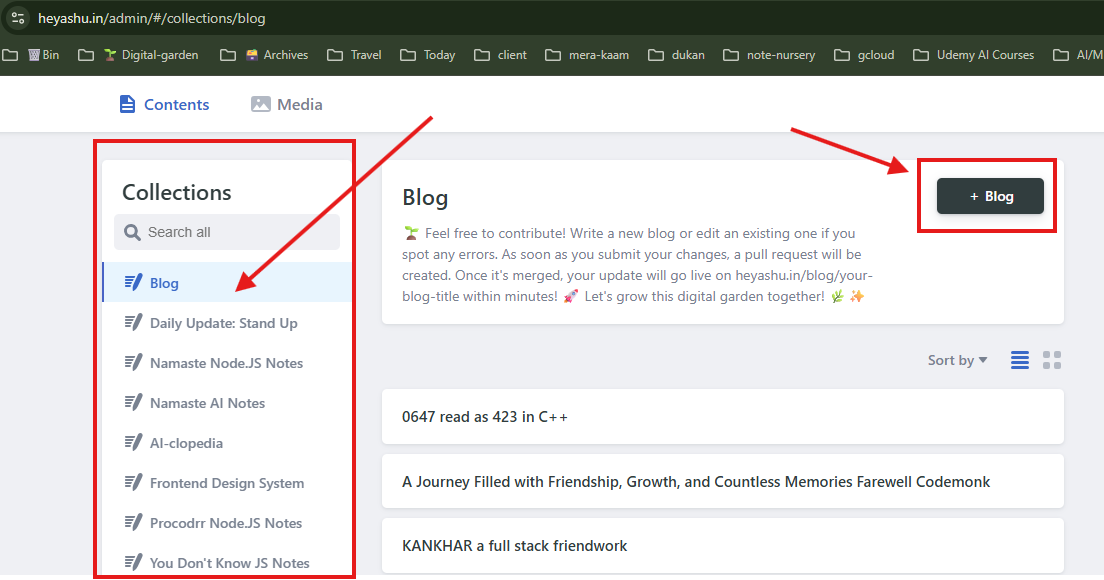
Pick a collection — Blog, or a notes series such as Namaste Node.js or Namaste AI Notes.
- 4
Click + Blog (or add a chapter). The same pattern works for every notes collection.
- 5
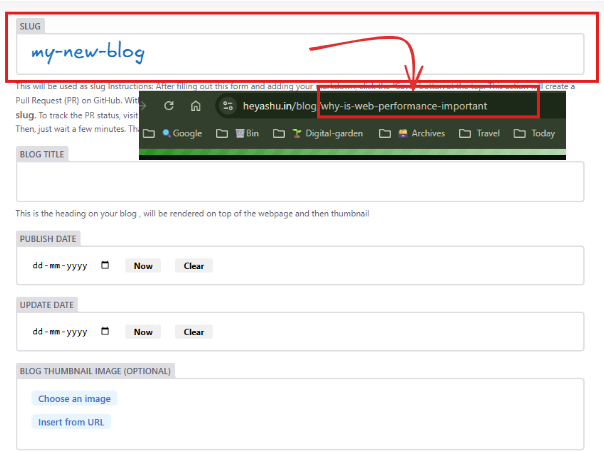
Fill slug, title, and date. Use dashes in the slug for SEO (example:
history-of-nodejs). - 6
Optional: choose a thumbnail — it becomes the first visual of your post.
- 7
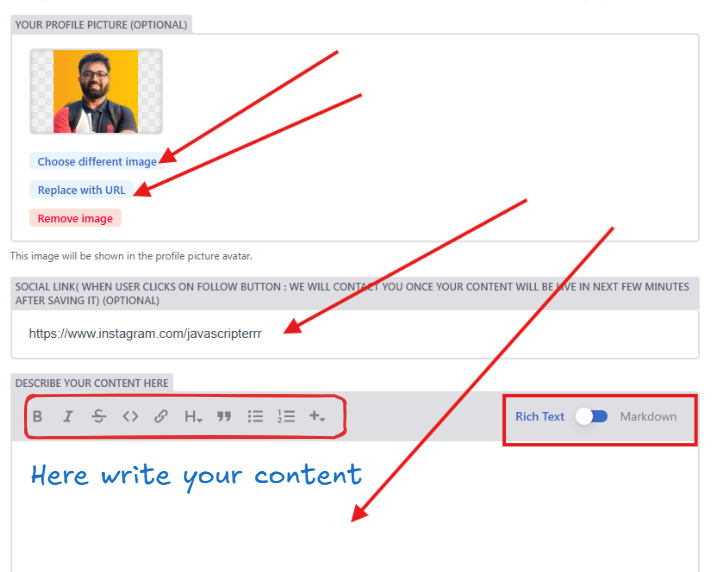
Add your profile photo (upload or paste a URL) and social links.
- 8
Write in the large editor. You can insert images from the rich-text toolbar, or paste markdown directly.
- 9
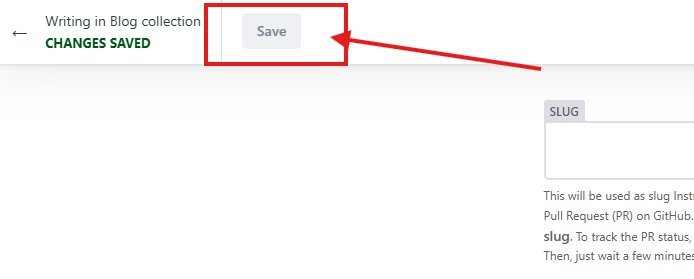
Scroll up and click Save. Wait a few seconds for a green toast.
- 10
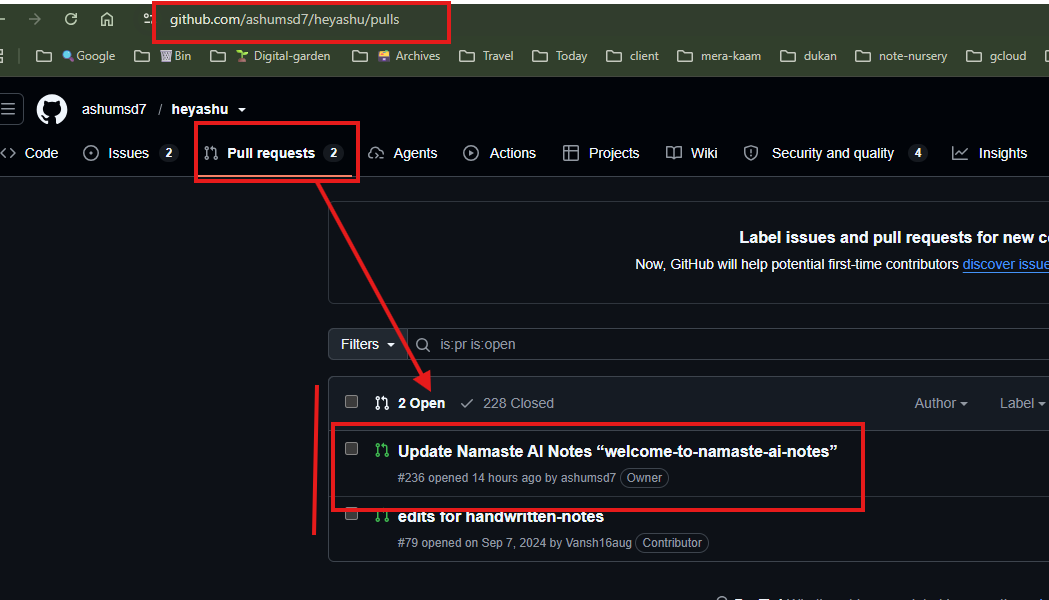
I merge the pull request, then your blog or chapter goes live. Track it here: github.com/ashumsd7/heyashu/pulls
Stuck? Let's: Connect. I will help, then send you the live URL after the pull request is merged.
Prefer a direct start? Open heyashu.in/admin · Fork the repo on GitHub · Or back to the garden.